Select Page
Visual Print Status – Color cues with Home Assistant

Visual Print Status – Color cues with Home Assistant
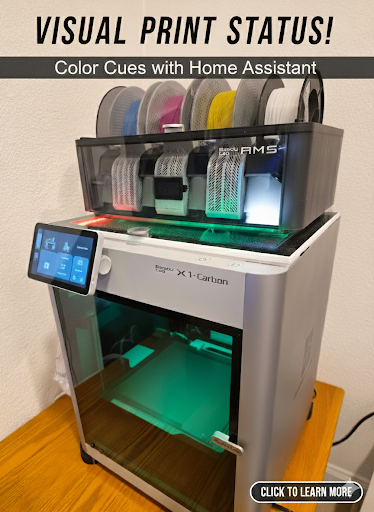
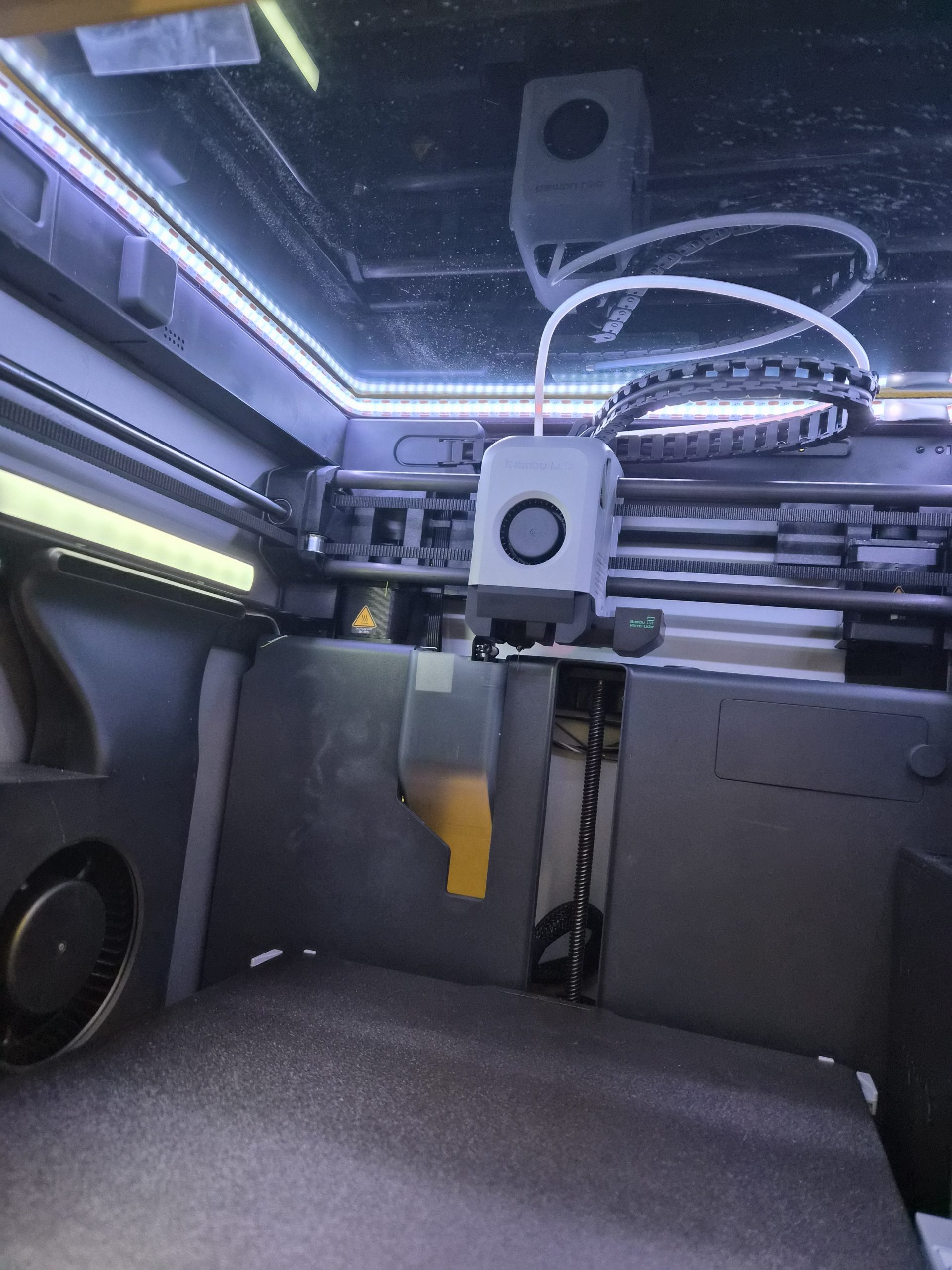
Many people are using 3D printed modifications for adding LED lights to their Bambu X1C printer. 

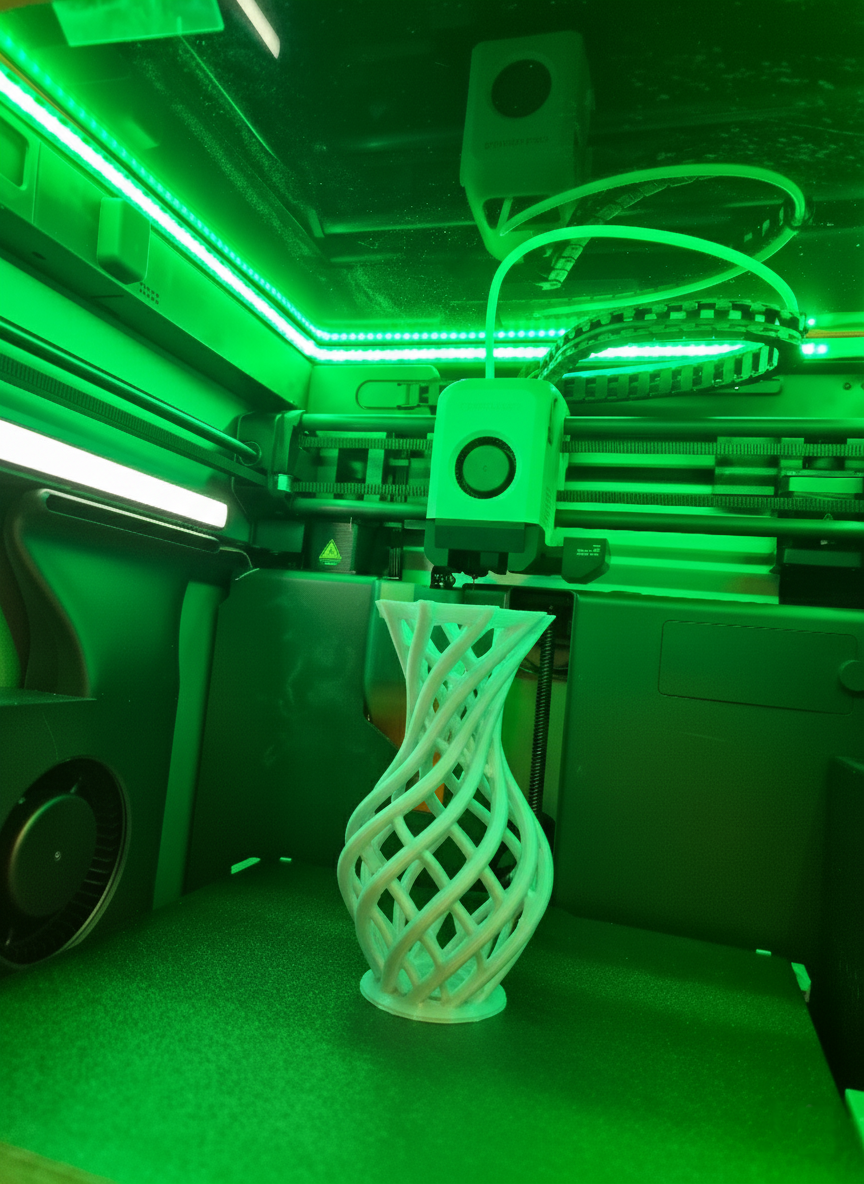
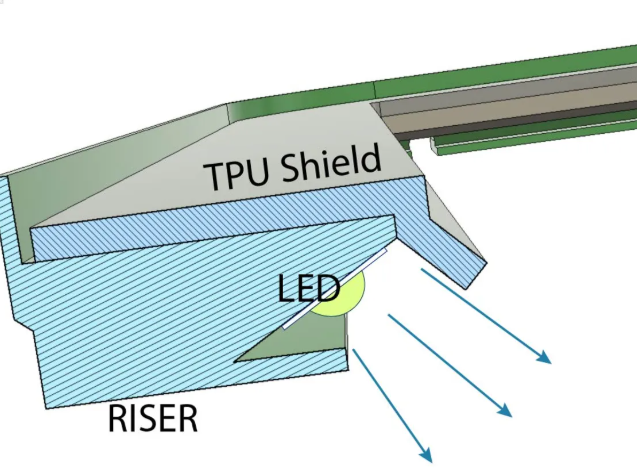
You can see the riser with a 45 degree angled LED below from the riser featured on printables. Credits to https://www.printables.com/model/365027-bambulab-top-glass-riser-4-cob-led-remix-with-led- 

This setup has a separate power supply. The normal people would simply power that on e.g. white LEDs, when they power on their 3D printer. Not was not ideal and not what most people actually want. 
 

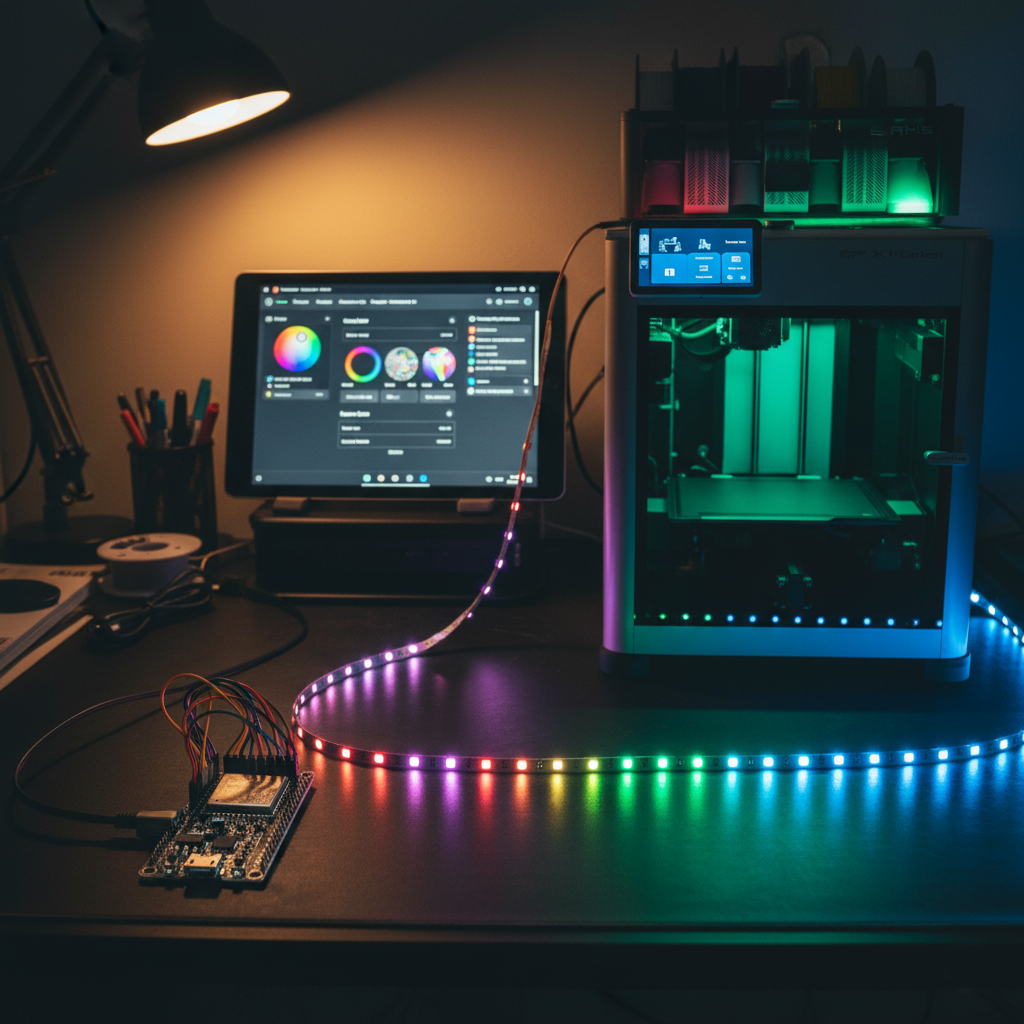
The choice to better control the lights and also add color was using an ESP32 micro controller running WLED. If you are not familiar with this, I would suggest to check it out. There are numerous postings and instructions online on how to control all kind of LED lights with ESP micro controllers or others using the WLED software.

 Check out the WLED software here https://kno.wled.ge/ and you can find all the instructions on how to create a functional LED controller. 

For my setup I used 144 LEDs / Meter for better coverage and not having to install any kind of diffuser.

The power supply will depend on what LEDs you chose as you can buy them with 5V, 12V or 24V. As a thumbnail people usually use 0.3 Watt / LED meaning if you have 144 x 0.3 = 43.2 Watt. For safety the recommendation is a 20% buffer resulting in a 50 Watt power supply for my case. Again, make your own choices depending on which LEDs, voltage and length you want. 


Using WLED to control the LEDs is great, but you want this to be automated. You can use many automations to drive light and color control. 

In my case I am using Home Assistant https://www.home-assistant.io/ and there is an integration for WLED you can install to detect and control WLED instances. 

Once you control the WLED instance of the 3D Printer lights using Home Assistant, you can automate this by installing the Bambu printer integration in Home Assistant as well. 

That integration provides you a lot of printer information, but more important status information enabling you to drive automations like this. 

As a result you can get visual cues covering the print process in white for power on or during printing by coupling the LED lights to the status of the chamber light of the Bambu X1C printer. 

When a print failed, you can trigger the red light and after the printer finished successfully, you can enable the green light. 

You can reset the light status to white when a print starts. Of course, you can implement your own logic as I am only exposing here what is possible and what I implemented for my 3D printer setup at home.  
 

You can implement a single automation to drive all LED status cues, but this can become really complex really quickly.

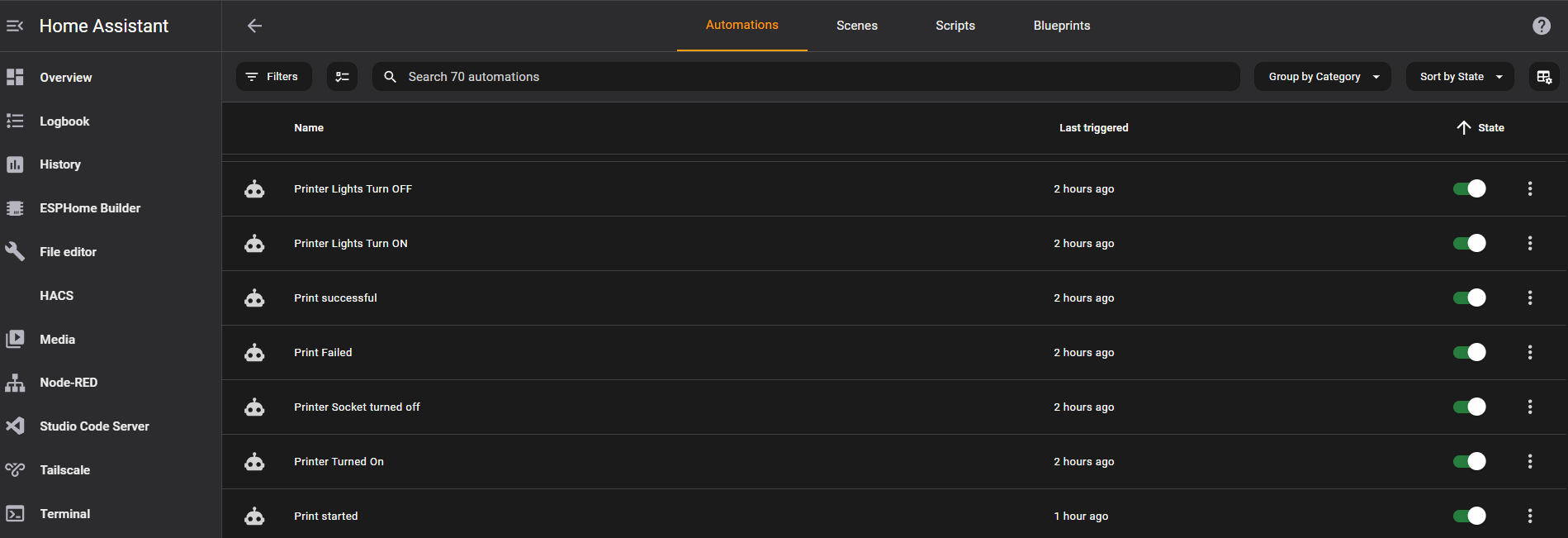
It is much easier to implement one automation for each color or cue, as you can see in the screenshot of the Home Assistant automation page. 


 Once the automations are setup, Home Assistant will drive the color cues automatically.

When you power on the printer, it starts with white based on the chamber light being turned on. 

When you start a print, it enables the white color, which is also used to reset the color after it has turned green or red. 

You can also run automations to notify your cell phone when a print is finished or failed.

Yes, you could use the Bambu lab app on your phone, but having to open the app and loggin in and then clicking on the live stream when you only want to know if it succeeded or not is overkill. 

WLED is so powerful, you could run animations as well like a specific pattern of lights in repetition or just once before turning on a specific color. The possibilities are endless here. 

You could also turn off the lights after a certain period including the chamber light if power consumption is a concern. 

You could replace the chamber light as well to match the LEDs, but that would require modifications of the existing wiring and I wanted to keep my adjustments reversable.  
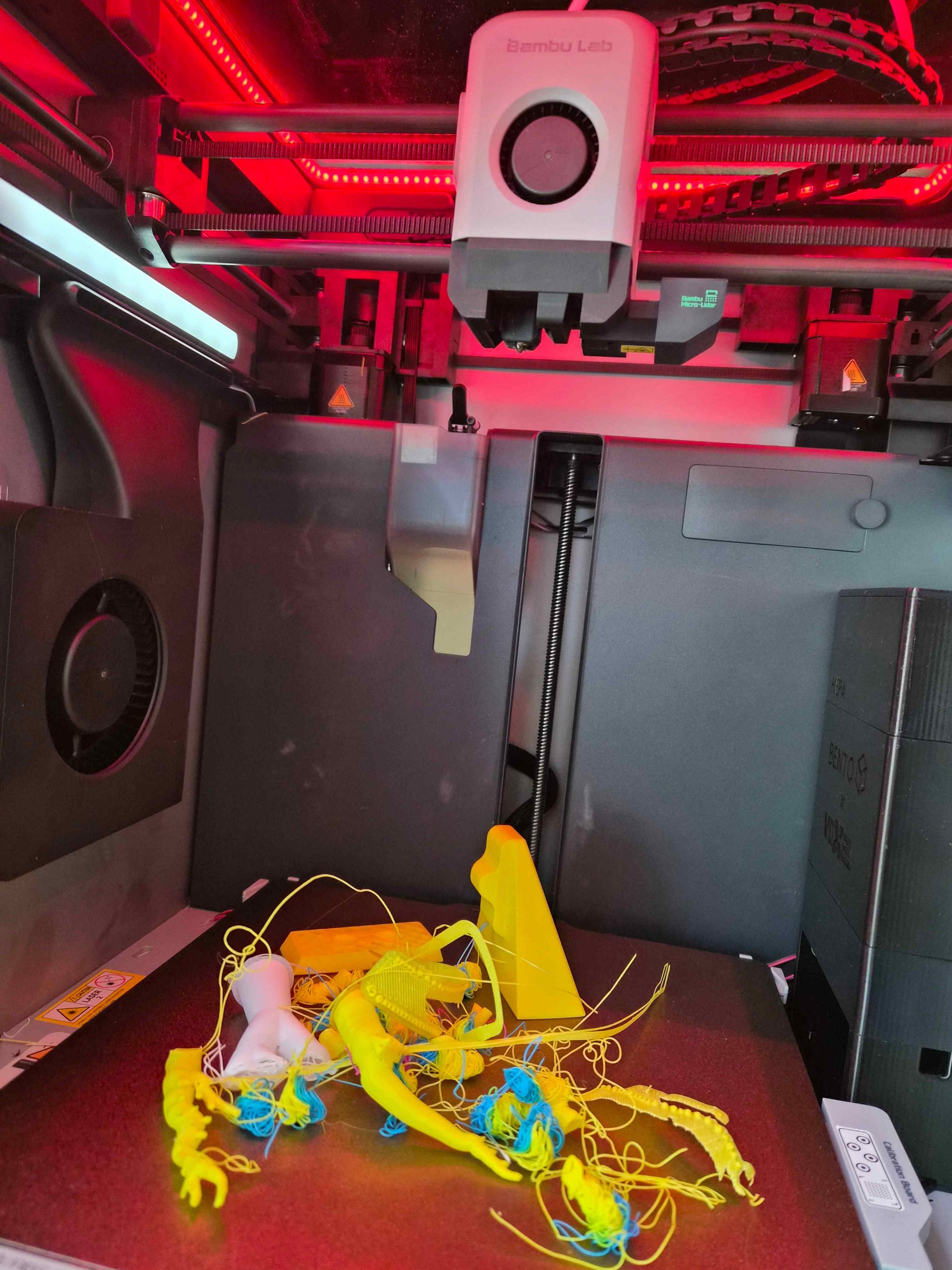
In summary, you can 3D print the riser from printables, purchase an ESP32 controller and install WLED on it, purchase LED lights of your choice and make sure they fit into the riser channel.

You install the WLED and the Bambu lab printer Add-ons in Home Assistant and discover the WLED controller and call those “Printer lights”, which is also nice to be able to voice control those via voice e.g. Alexa or Google Home or Nabu from Home Assistant. 

This proejct took me two weekends once all parts arrived including printing time. 

One weekend spent on the hardware and one weekend spent on the software and integration and automation. 

I can truly say, coming down in the morning into my office and just looking at my 3D printer and seeing a green color is telling me already that it succeeded. 

Is there a chance that you could have a failed print and it shows green? Yes, but the AI of the Bambu printer is pretty good in detecting issues. 

I hope you found this helpful. Feel free to reach out with questions. Happy to answer and if you other ideas like this please share. 

Thanks. 
 

Motion activated LED stairs lights with voice control

Motion activated LED stairs lights with voice control

Walking up or down the stairs at night can be made to an experience by using LED lights. Being able to have different animations or LED patterns makes this even more exciting. How do you achieve such a thing?

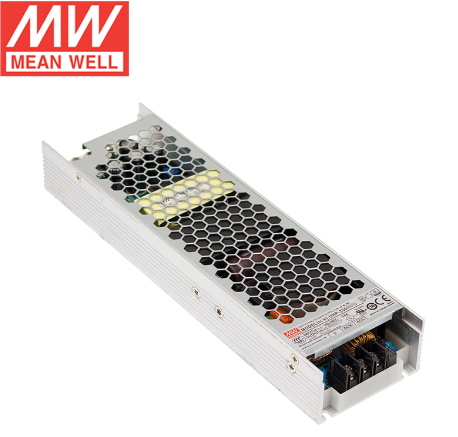
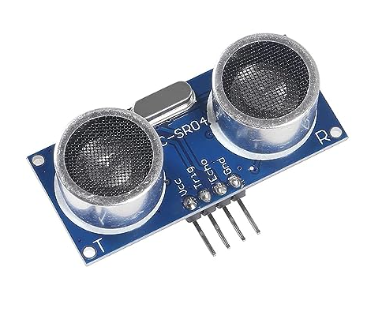
By using motion activated LED stairs lighting integrated into Alexa and Home Assistant based on Dig-Quad LED Controller using ESP32 with HC-SR04 ultrasonic distance sensors and UHP-350-12 Mean Well power supply. 

This project can be completed in many ways from just buying the components or going the extra mile and buying LED channels, diffusers and 3D printing the casings for the distance sensors. 

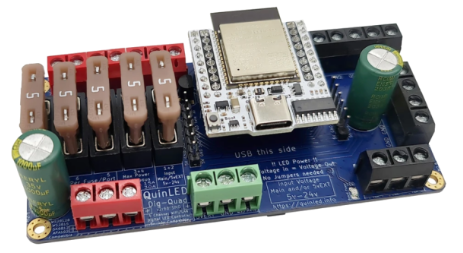
Let’s start with the core, which is the Dig-Quad LED controller from Dr ZZs https://www.drzzs.com/shop/ 

This controller comes with an ESP32 board already, fuses for extra protection and pre-flashed with WLED. 

You could build this yourself with an ESP32 Dev board but the ease of install and the additional protection including Youtube videos on how to install, makes this a no-brainer.


Which power supply to use will depend on the LEDs you chose e.g. 5V vs 12V vs 24V and how long and how many LED strips you want to install. There are plenty of websites and calculators out there to enable you to make the math how much WATT you need for what length and voltage. 

In my case, I went with 12V LEDs and given my length, I went with the 350W power supply. Another important aspect is the cooling method of the power supply. Having deployed various solutions like this, I can only recommend to avoid any fan based solution.

Those can be very loud and mechanical fans will fail. So the question is not if but when they will fail. This model here with the Mean Well UHP-350-12 is fanless and zero noise.

The fanless models might be a little bit more expensive but having a higher MTBF (meantime before failure) and no noise is certainly worth this price.


The type of motion sensor is important from a distance, false positive, price and reliability perspective. 

You could go overboard with mmwave doppler motion sensor like the LD2410 in which case you have to ensure the proper voltage, etc or simply go with the HC-SR04 ultrasonic sensor.

This sensor is extremely affordable and you can actually specify the distance parameters in the WLED UI to fine tune your detection radius. 

I did try the HC-SR501 motion sensor as well, but the detection reliability was not even close compared to the ultrasonic sensor, so I opted for the HC-SR04 module for the top and the bottom of the stairs.

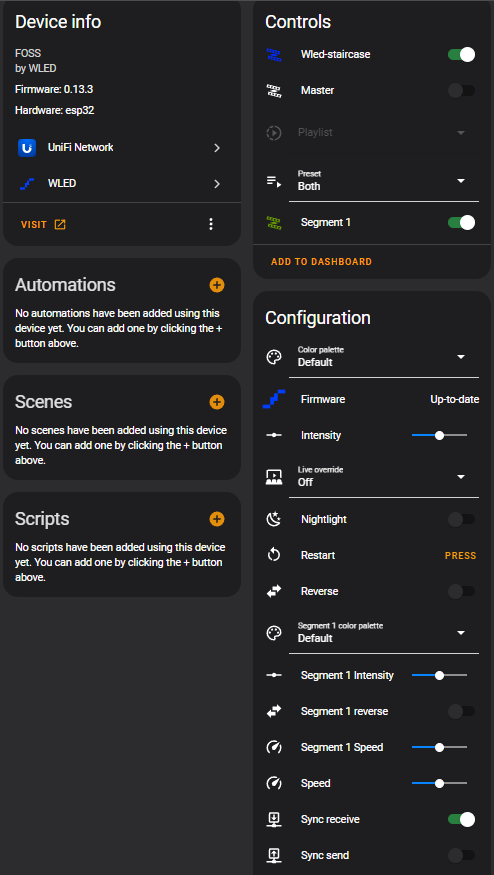
The home assistant integration is extremely easy by installing the WLED integration. Once you enable this integration it will auto-discover all your WLED instances in your home.

As you can see in this screenshot, you can conduct firmware updates, control the intensity of the lights, you can define the segments, etc. 

You could go as far as having an ESPhome Bluetooth tracker mapped to your Samsung or Apple watch and create conditions to show different patterns depending on who is going up or down the stairs. 

I opted for the stairs integration natively within WLED as this integration, while being outside of home assistant, allows you to fine tune your motion sensor parameters and set the pins for the upstairs and downstairs motion sensors via the UI. 

I should point out though, that this stairs integration is NOT natively in WLED. There are some binaries out there which include that integration or you can compile your own WLED binary with Visual Studio, which is what I did. 

Again, you don’t have to go down that route. You can simply use home assistant to do the animations for you and you could use your own motion sensors based on Zigbee or Z-wave to trigger the lights. The possibilities are endless.

Within the WLED settings in the UI, you can specify if you want that device to be discoverable by Alexa or you can use home assistant and go into the device settings and click on voice assistant and you can decide there, if you want to expose this device to Alexa and/or Google. 

A very interesting question to ask is what wins if you turn on those lights via voice and then walk up or down the stairs with the motion sensors. Will they turn off based on your timer of the motion sensors or will they stay on?

I will give you a hint… if you just use home assistant you control and decide the behavior, while using the stairs integration of WLED will do its own thing. 


New Philips Hue LED multi-color strips for a hefty new price

New Philips Hue LED multi-color strips for a hefty new price

Philips announced today a series of new products ranging from new light strips, Hue Iris, new low-cost white bulbs, etc. 

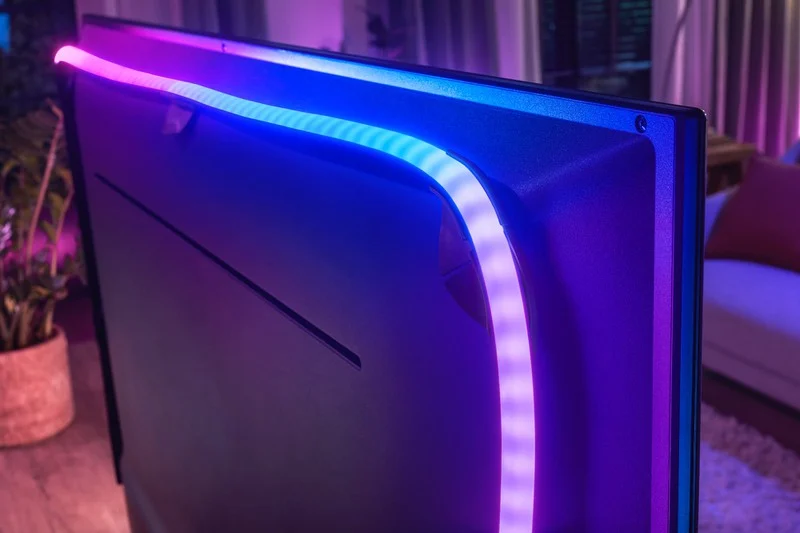
The new Philips Hue Play Gradient Lightstrip is designed to integrate seemlessly with the Philie Hue Play HDMI Sync Box. Any HDMI device will be able to be connected to the new light strip.

This new light strip comes in three lengths, as it was built with TV sets in mind and you will be able to order it in 55 inch, 65 inch and 75 inch.

The previous light strips were limited to a single color and did not support multi-color, which has now been addressed with individually addressable LEDs to provide quote “immerse home theater experience”.

You will be able to order this light strip on October 16th 2020 for a price of $199. Yes, this is correct. Philips is asking for $200 for the 55 inch version, $220 for the 65 inch and $240 for the 75 inch version. This is more than twice the price of the previous light strip version resulting in a 250% price increase. 

I would like to point out that LIFX has been offering multi-color light strips for under $100 for over 4 years now. But it doesn’t stop there. You will have to pay another $230 for the Hue Play HDMI Sync Box bringing your total price to $430. 

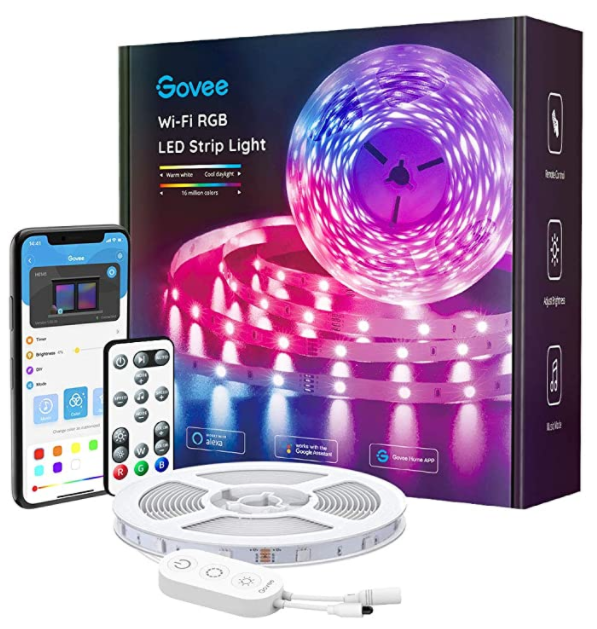
Let’s compare the new light strip with the cheapest version of strip you can find today on Amazon. There are hundreds of TV backlight LED products on Amazon.

The first one I could find supporting music sync without having to use an App on your phone or a remote to run scenes and has a built-in microphone to sync with the TV sound is the one on the right. It is currently priced at $26.59. This is 6.2% of the price for the Hue Strip and HDMI sync box combined.

The lighting experience is certainly not the same as they don’t come with individual addressable LEDs, so if you care about different fading colors at the same time behind the TV, then you could invest $89,99 for the LIFX Z TV strip, which is 21% in comparison to Philips.

The downside with LIFX Z TV strip is that you will have to use an app on your phone, a raspberry PI running proxy software, or a mac pc running the proxy software to synchronize with the sound of the TV.

Granted, Philips has the most elegant solution with the HDMI sync box and no sound interference from other sources and sound sync in real-time, but that price is simply too high.

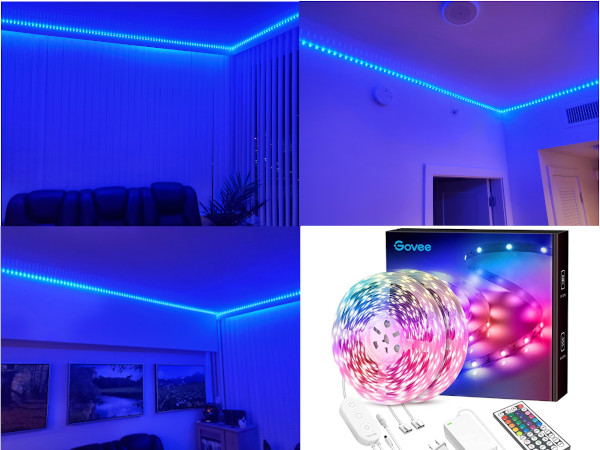
Let’s compare value. On the left side you see my installation of 64 feet 16 million colors LED strip with remote control, built-in microphone on the switch and app control on your phone. This setup will cost you on Amazon $48,59. Yes, 64 feet of LEDs for less than $50 and it works in conjunction with your TV sound as long as you have no other sound interference in the room. 

It does not offer the individual addressable LED sections to provide multi-color fading, so you can only face from one color into the other or when the sound changes the colors fade and change, but it is always one color for the strip and in different brightness depending on your sound.

 With that said, the new Philips Hue strip has certainly benefits compared to all the other options outlined here, but the price is not justified. Let’s see how the market will adopt those new LED strips from Hue. Time will tell.

LIFX plans to attack Corona Virus Covid-19 with new “LIFX clean” bulbs

LIFX plans to attack Corona Virus Covid-19 with new “LIFX clean” bulbs

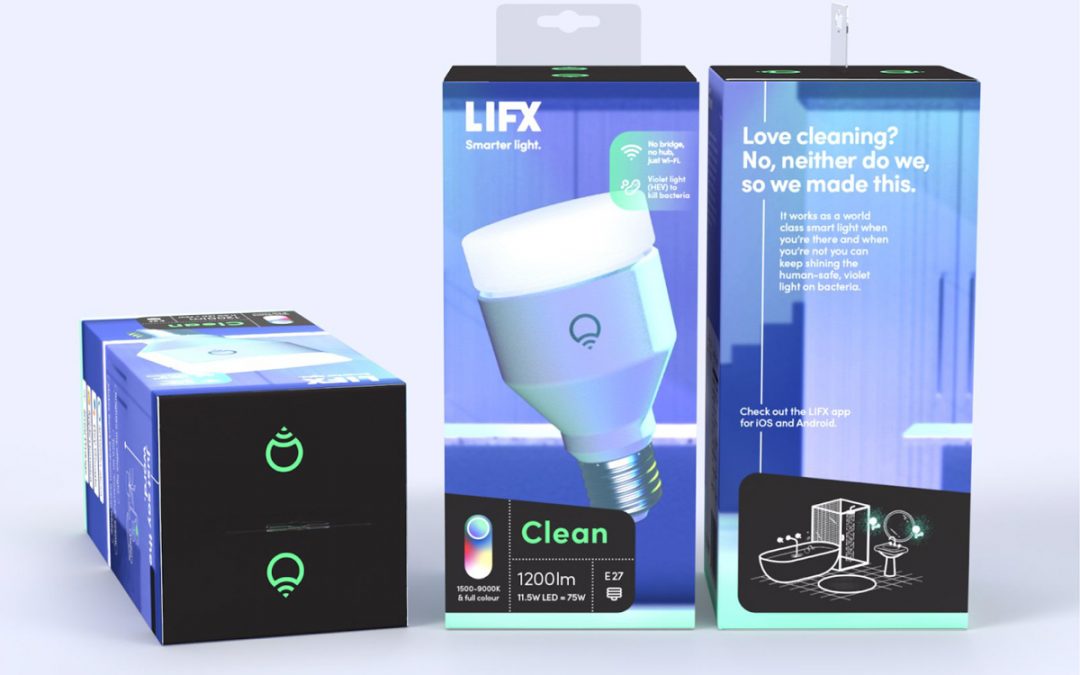
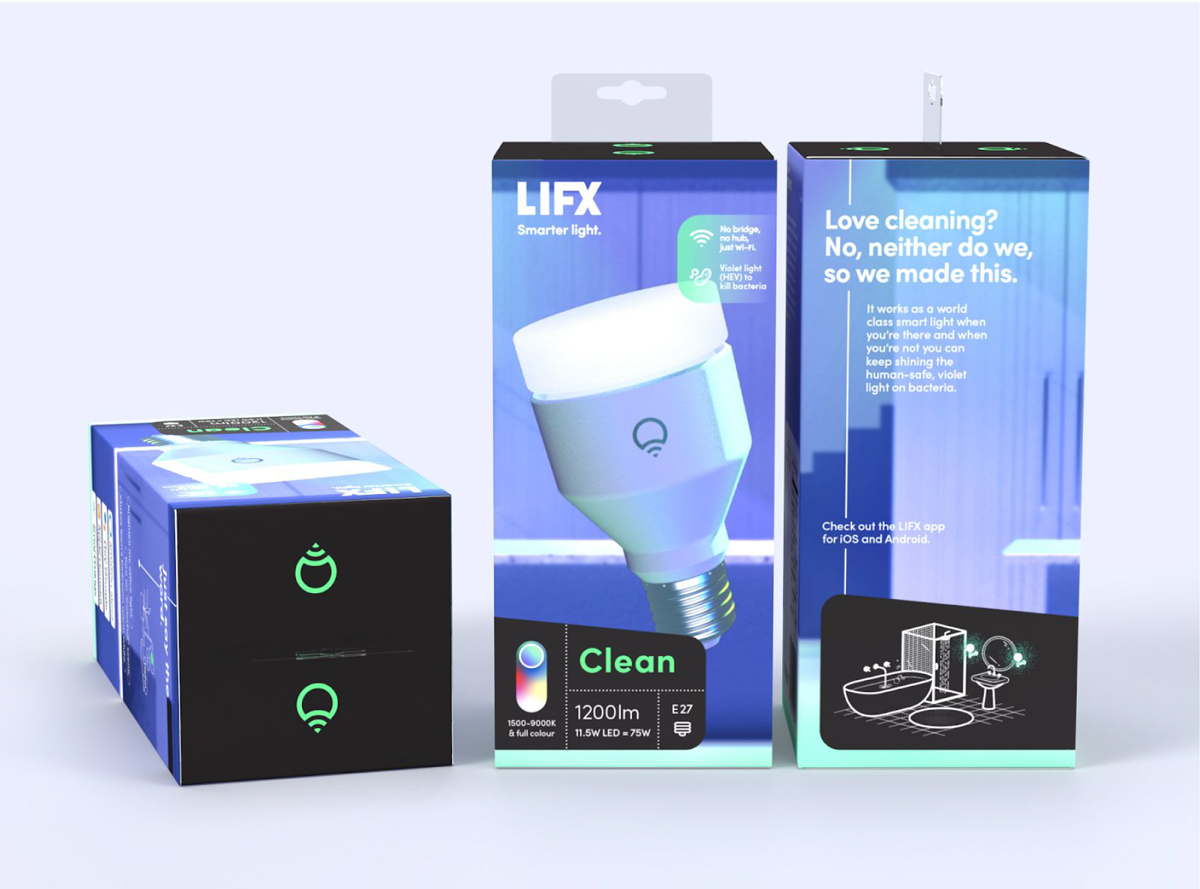
LIFX is planning to help the fight against Corona Virus Covid-19. Buddy Technologies, the mother company of LIFX announced their latest innovation by the name of “LIFX clean”. Those new bulbs are going to be released in Australia, New Zealand and Europe once they passed all safety and regulatory testing. This new product is also already in the Covid-19 testing queue. 

According to LIFX this new bulb is the “world’s first disinfecting anti-bacterial smart light”. The bulb will disinfect surfaces and surrounding air using High Energy Visibile (HEV) light. 

The first phase is scheduled for the 4th quarter of 2020. The second phase will be the launch in USA and Canada, which requires to pass different safety and regulatory requirements. 

With that said, the new bulbs will be priced at $99,99 Australian dollar, so we can expect a similar price range for US. 

Immediate concerns were raised about safety for humans and pets, the potential effects on skin or increasing the risk of cancer, potential impact on human or animal eyes, etc. Buddy Technologies addressed the Australian Share Market with a letter stating:

  • LiFX Clean is a fully functional white + colour smart light that also uses germicidal antibacterial light to disinfect surfaces and surrounding air
  • In a smart lighting world-first, by using 405 nanometre High Energy Visible (HEV) light that is safe for humans, pets and plants, LiFX Clean offers an effortless way to maximise the cleanliness of home environments
  • LiFX Clean has passed efficacy testing in laboratory testing conducted by the Department of Chemistry and Biotechnology at Australia’s Swinburne University of Technology, as well as IEC and safety testing at UL Verification Services in Guangzhou
  • Whilst LIFX Clean is currently in the testing queue for efficacy against the SARS-CoV-2 virus (which can cause the COVID-19 disease), no claim is currently being made that the product is effective in an antiviral capacity of any kind, including on SARS-CoV-2
  • Priced at A$99.99 / US$69.99 / CA$79.99 / €69.99 / £59.99, LIFX Clean is an affordable and accessible new anti-bacterial product, providing broad access to consumers in a time of enormous demand for cleaning products. It is expected to be released to the market in calendar Q4.

In summary… it is great to see that a company is thinking outside the box trying to help with the Corona Virus Covid-19 pandemic. Yes, a lot of tests have to be completed and certainly long-term studies will follow, but during desparate times need any help we can get.

Instead of cleaning all surfaces multiple times per day, having the light bulbs do the work for us and reducing our exposure to harsh chemicals is a good thing. There are so many other use cases for those bulbs ranging from public restrooms, public baths, movie theaters, etc using those bulbs with or without humans in the room.

A potential impact on plants has also been raised by various people and so far there is no indication of any impact on plants, but again time and testing will tell. Go LIFX and fight all bacteria!


Light-Motion combination switch

Light-Motion combination switch

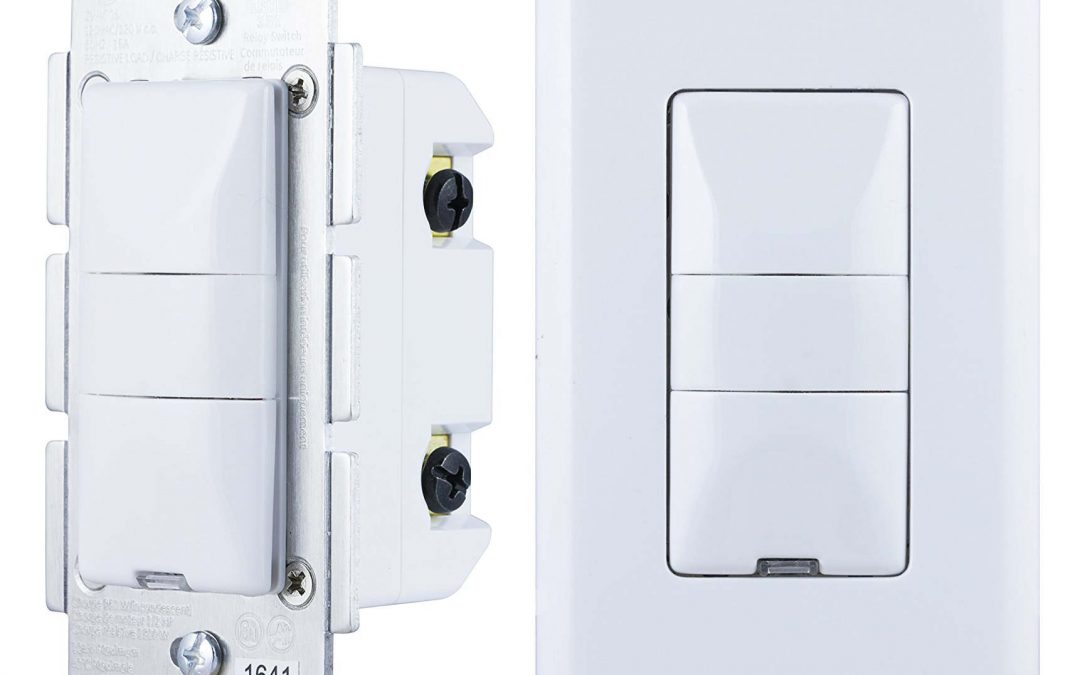
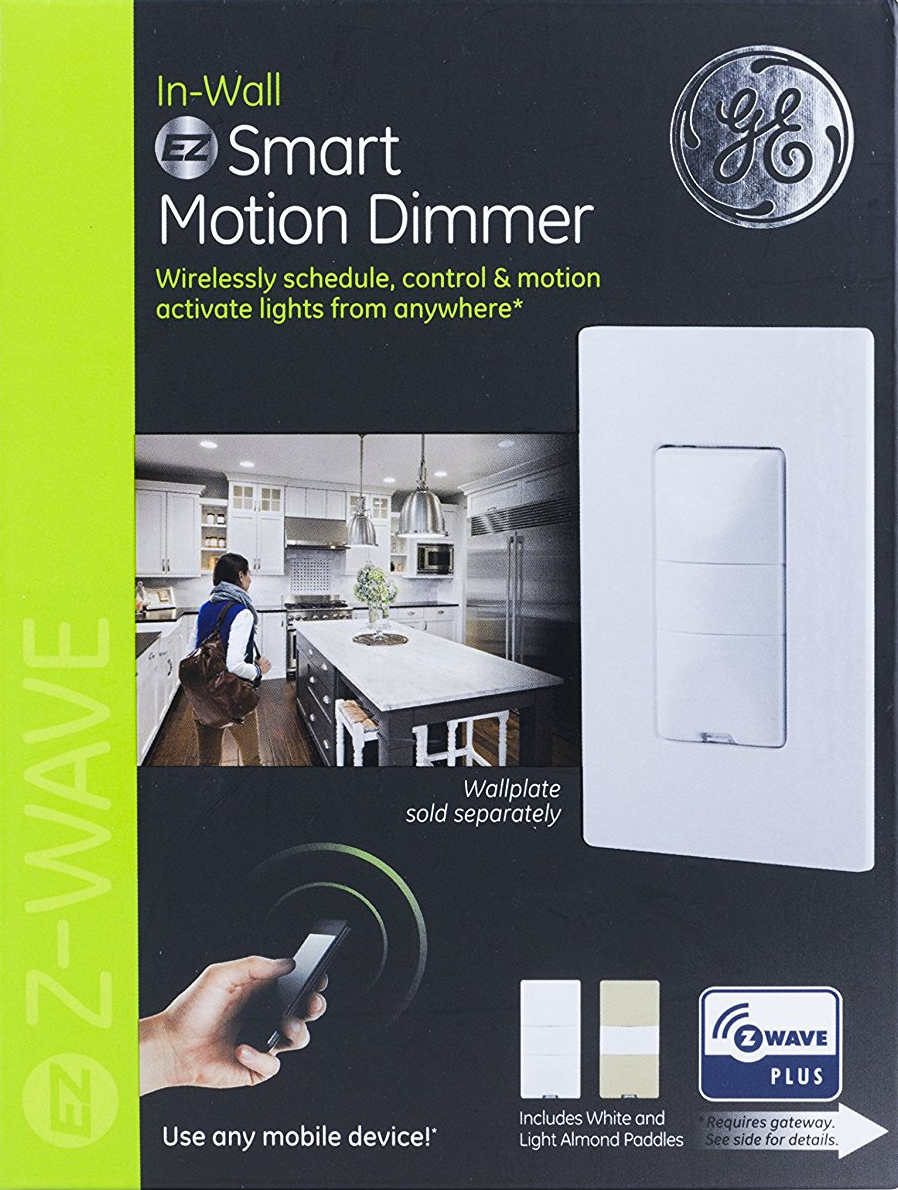
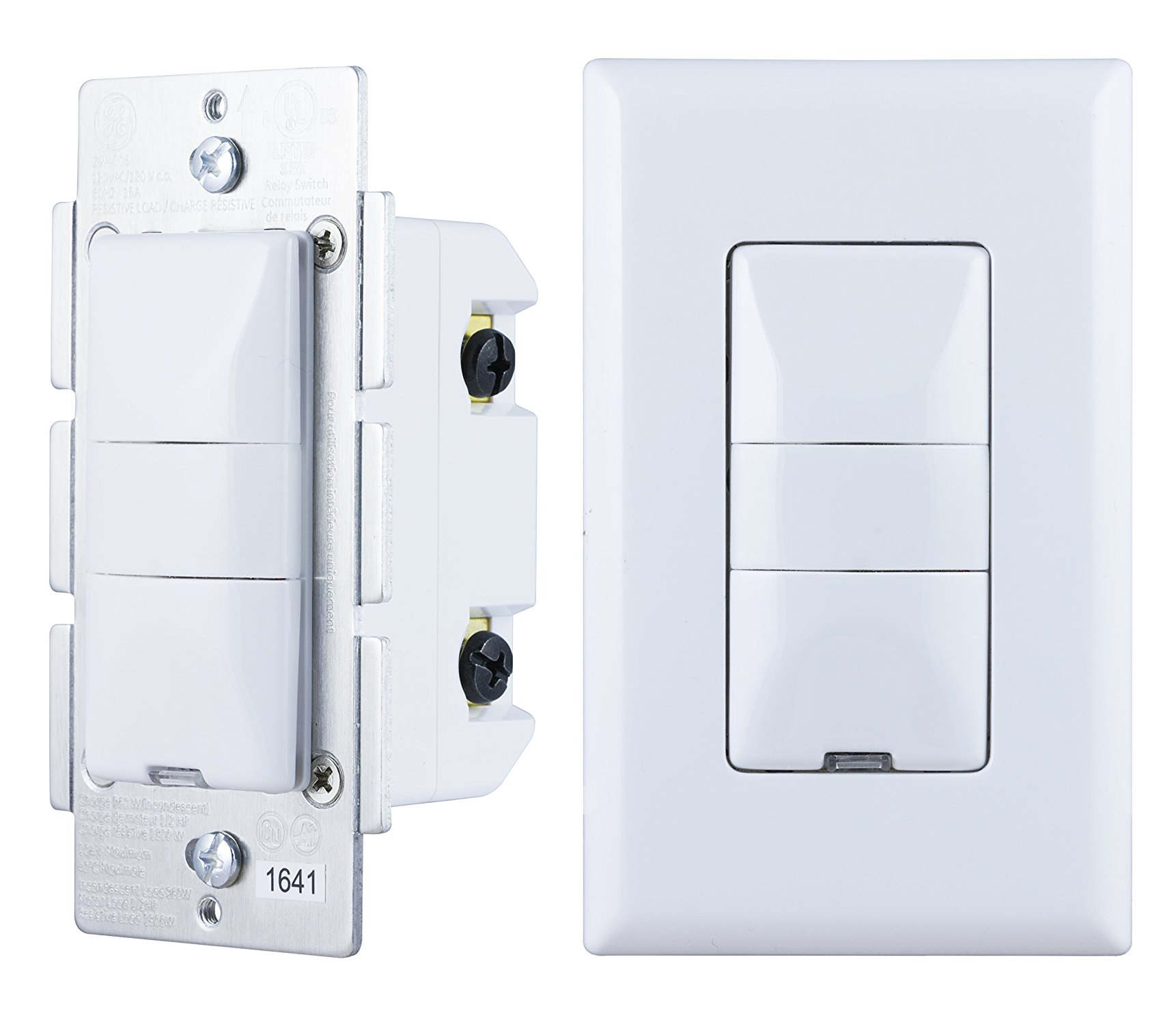
GE/Jasco released a new Z-wave certified switch in Dec 2016, which was made available on Amazon in April 2017. There was no press release or announcement and many people don’t even know that such a switch even exists hence my blog posting here.

The smart hub community quickly jumped on that in Feb 2017 requesting support and given the wide support of GE switches across many smart home hubs, this switch has been integrated rather quickly (Pulse, Trane, Wink, Nexia, Honeywell, HomeSeer, Smart Security, Harmony, Vera, Smartthings and Connect).

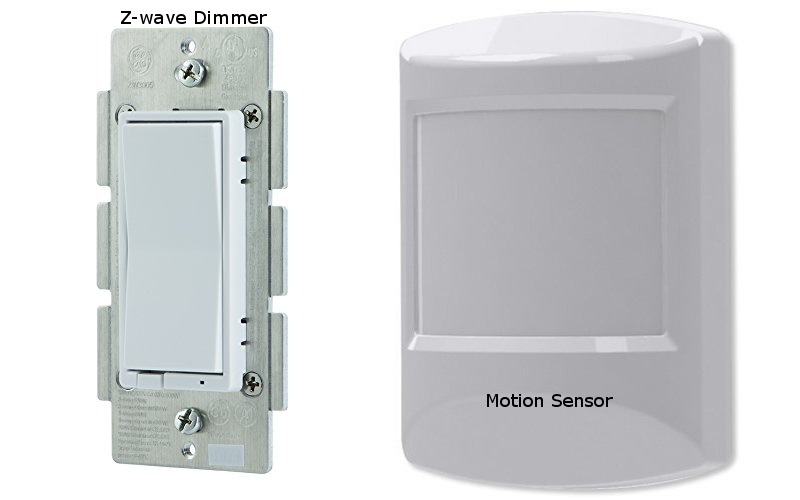
What’s the use case for this switch? Before this switch was released you could buy a Z-wave light switch (on/off or dimmer) and then you had to buy a motion sensor separately. As an example you would install this switch in your bathroom/toilet room and then you had to install a motion sensor somewhere in the same room.

Unless you have a power outlet close and a clunky power supply in that outlet to power your motion sensor, you would have to buy a battery operated Z-wave motion sensor or use a USB outlet and wire the motion sensor with a USB cable. Most people went with battery operated motion sensors which have a standard of 4 min timeout setting to preserver battery life.

This setup required you to purchase the light switch and the motion sensor separately which costs anywhere from $35 to $45 for the switch and $20 to $35 for the motion sensor for a total of $55 to $80 dollars.The new GE26933 combination switch is selling for $55 dollars which is a very reasonable price for a combination of both.

The beauty of having such a combination switch is that the motion sensor is not battery operated and the hassle with wakeup and timeout settings doesn’t apply. As a result you can configure this switch on a very granular level and you don’t have to worry about wires coming from your motion sensor to your outlet trying to have a permanently powered motion sensor like the GE 6 in 1 sensor, which is a great product by itself.

You have a single switch combining motion and light switch into one device. In addition it is a dimmer so you can adjust the brightness above and below the actual motion window of the switch. This switch also supports “Last level” which means when you use the dimming function to lower the brightness to e.g. 50% the next time you power on those lights, it will be at 50%.

This switch comes with a variety of options you can configure via Z-wave settings. You have 19 parameter settings you can use to adjust this switch ranging from Timeout duration e.g. 5 min (default) to 30 min or no timeout, motion sensitivity from high to low with medium being the default, Light sensing on or off to the most important parameter which is operation mode with manual, vacancy or occupancy. You can find more details for those parameters here https://products.z-wavealliance.org/products/2108/configs

For smart home hub integration you switch to manual and your smart home hub will detect 2 Z-wave devices. The actual light switch and the motion sensor enabling you to create now scenes or events based on those devices or other devices from your smart home hub.


Most bathroom/toilet rooms have a fan switch right next to the light switch. You can now configure an event where you specify things like

if motion detected

turn on lights and turn on fan

for 5 minutes

and then turn off lights and fan

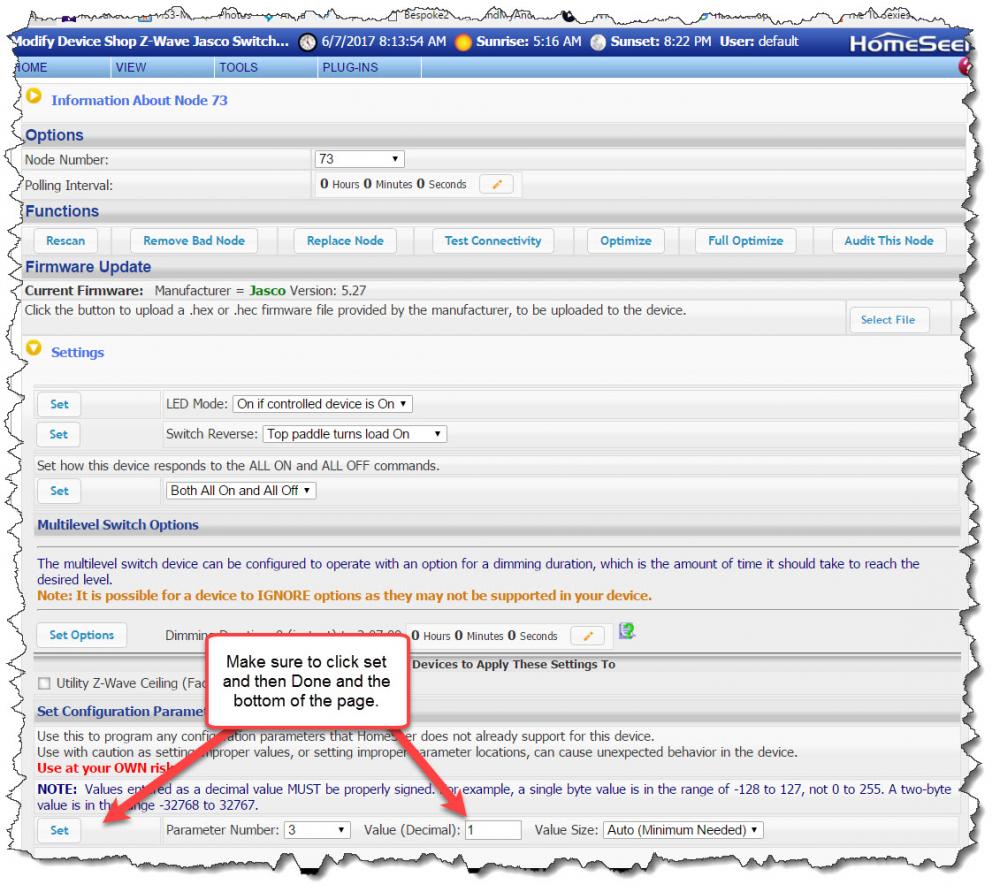
When you integrate your GE26933 switch into your smart hub system make sure to properly save those parameters e.g. Homeseer settings on the picture. Even before you set those parameters your smart hub system should find 2 devices (switch and motion) but motion will not change status as the default parameter setting for this switch is occupancy with 5 minutes.

The other benefit of having a permanently powered motion sensor is not having to deal with any wakeup and timeout values. You can go as low as 1 minute intervals for this light switch. If your switch is facing the restroom toilet with a setting of 1 minute unless the person sitting on the toilet doesn’t move for 60 seconds, will reset the timeout value continuously but again this is adjustable up to 30 min as needed.

In summary, many smart home owners were requesting for years a combination switch from the vendors and GE finally delivered and hopefully more vendors will follow. This switch can be used in many use cases ranging from garage lighting leveraging the daylight sensor to restrooms with no light or window allowing you to configure your room and lighting what fits your needs the best.

The price is very reasonable and totally justifies switching from two separate devices to a single device with the additional benefit of not having to deal with batteries and wires and two separate devices. Great addition to the Z-wave family of light switches from GE and I hope my blog post sparked some ideas for you on how to improve your smart home even further. Personally I already installed two of those at my home and I am going to add more.

x  Powerful Protection for WordPress, from Shield Security
This Site Is Protected By
Shield Security
Verified by ExactMetrics