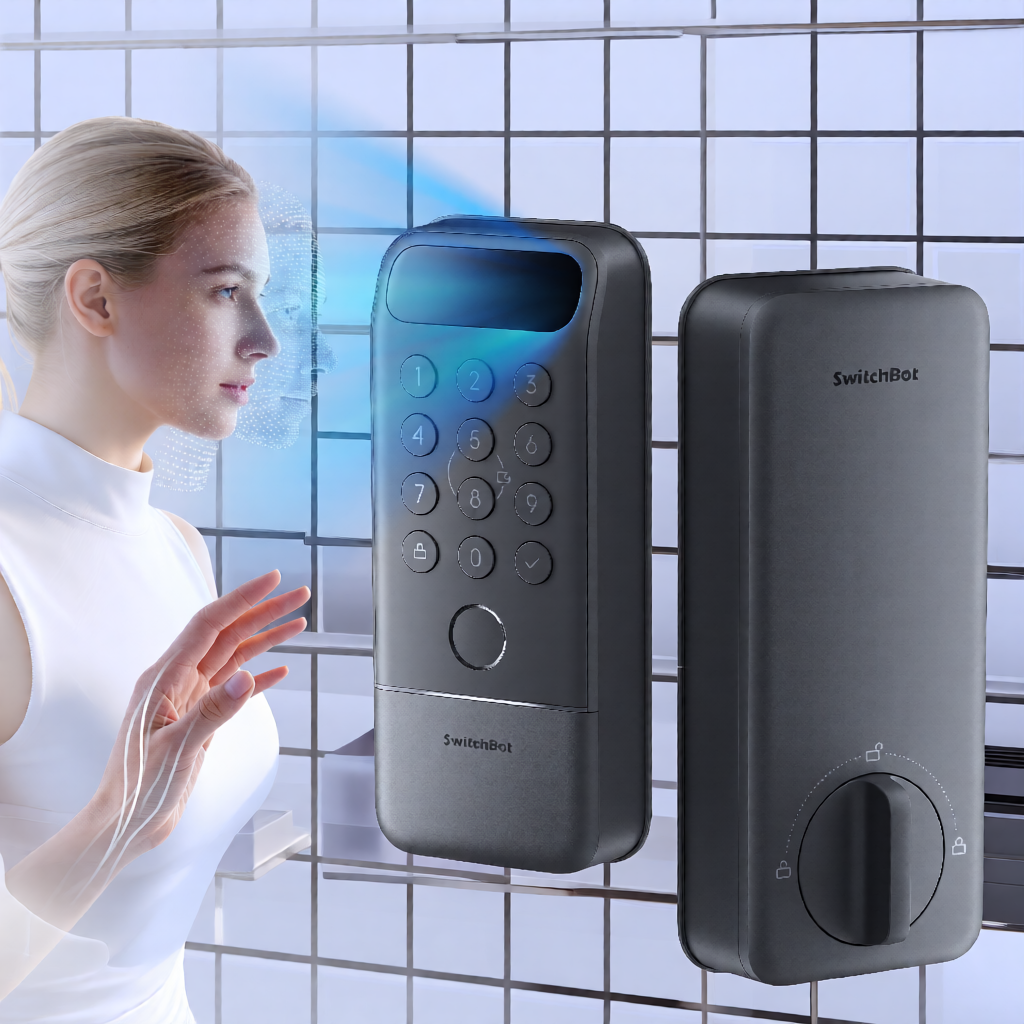
I recently installed the SwitchBot Lock Vision Pro at my home. As with any smart home addition, the goal was seamless integration into my existing ecosystem, specifically Home Assistant. The physical installation was straightforward, but the digital onboarding presented a specific hurdle that I want to detail here to save others the same confusion. This is not a review of the hardware’s features, but a report on the setup process, specifically the transition from a standalone device to a fully integrated Matter node.
Before diving into the steps, it is worth noting that I have covered various lock integrations in the past, such as my experience with the Yale door lock. Each manufacturer approaches connectivity differently, and SwitchBot’s approach via the app-first model has its own quirks. If you are following this guide, assume you have already purchased the device and completed the physical mounting. The focus here is the software handshake between the lock, your phone, and your hub.
Physical Fitment and Installation
The installation process began with the physical components. The Lock Vision Pro comes with several parts, including the main lock body, the keypad, and a specific plastic piece designed to interface with the outer door frame. This is where I encountered the only friction during the physical setup. The plastic piece that goes into the outer door frame was way too big to fit into the hole that was already there. It is a physical fit issue, not a manufacturing defect in the traditional sense, but a compatibility gap between the provided hardware and the existing door structure.
Once I resolved the fitment issue by adjusting the mounting point, the rest of the physical installation proceeded as expected. The alignment of the deadbolt mechanism and the keypad panel is standard. However, it is worth mentioning that if your door frame has a pre-existing cutout, you should measure the SwitchBot plastic insert before you start drilling or modifying the frame. I did not need to drill new holes, but the size mismatch required a different approach than the standard tutorial videos suggest.
Physical installation is only half the job. The lock is not smart until it is paired. I wanted to highlight this step because many users move straight to the app, assuming the physical mount guarantees functionality. In my case, the physical fit was the variable, not the procedure.
Initial Pairing via Bluetooth
After securing the lock to the door, I opened the SwitchBot app on my phone to initialize the device. The first step is always Bluetooth pairing. I held the pairing button on the lock until it entered discovery mode, then selected it in the app. This process is standard for most Bluetooth Low Energy (BLE) devices and did not present any issues. The connection was stable, and the app recognized the lock immediately.
At this stage, the lock is fully functional within the SwitchBot ecosystem. You can lock and unlock it, and trigger events. However, it is not yet integrated with other platforms. I have found that many users, including myself, overlook the next step.
My next step was to pair the lock with Home Assistant. I navigated to the Matter integration in Home Assistant and initiated the pairing process. I waited. Nothing happened. The lock was not showing up in the list of available Matter devices. I checked my Wi-Fi signal, my Matter bridge, and the lock’s power. Everything seemed correct, yet the device remained invisible to the hub.
I realized that I had assumed the lock was automatically broadcasting its Matter identity after the initial Bluetooth setup. This is a common misconception. Many manufacturers assume that once a device is set up in their app, it is discoverable by other platforms. In reality, the SwitchBot Lock Vision Pro requires you to explicitly enable pairing mode for Matter discovery from within the SwitchBot app. Nobody told me this. The onboarding guide in the app does not clearly state that you must return to the app to initiate this specific state before another platform can find the device.
I found this step online, in community forums and support documents that were not part of SwitchBot’s own onboarding flow. The solution was simple once I knew it existed. I had to open the SwitchBot app, navigate to the lock’s settings, and find the option to put the device into pairing mode for new controllers. This is distinct from the initial Bluetooth pairing mode. It is a specific state that tells the device, “I am ready to be discovered by a Matter controller.”
This is a critical detail. If you are following this guide, do not skip the Bluetooth setup. You must complete the initial configuration in the SwitchBot app. Then, to make it discoverable to Home Assistant (or any other Matter controller), you must go back into that same app and trigger the Matter pairing mode. The device acts as a Matter bridge, and the pairing mode allows the external hub to discover it on the local network.
Once I initiated this pairing mode from the SwitchBot app, I returned to Home Assistant and retried the discovery. This time, the lock appeared. The difference was not in my Home Assistant configuration, but in the state of the lock itself. It was waiting for a signal that it was authorized to be discovered by a new controller.
Joining via Matter over Wi-Fi
With the lock in pairing mode, I was able to use my cell phone and the Home Assistant companion app to join the lock to Home Assistant via the Matter over Wi-Fi protocol. The companion app is useful here because it allows you to manage the Matter pairing process directly from a mobile device, which can be more convenient if your main hub is running on a headless server or a device without a touchscreen.
The process of adding the device via Matter over Wi-Fi involved entering the Wi-Fi credentials for the lock. This is a crucial step. The lock needs to connect directly to your Wi-Fi network to function as a Matter node. It does not rely on the phone’s internet connection for this. You are essentially telling the lock, “Here are the network credentials, and here is the Matter commissioning payload. Connect and register.”
Once the lock connected to Wi-Fi and completed the Matter commissioning, it was visible in Home Assistant. The integration was clean. I could see the lock state, lock it, unlock it, and trigger events. The latency was comparable to other Wi-Fi-enabled devices, and the reliability has been consistent in my testing.
It is important to note that this setup allows the lock to be controlled locally through Home Assistant’s Matter integration. While the initial setup required the cloud (the SwitchBot app) to put the device in pairing mode, the ongoing operation is handled through the Matter protocol on your local network. This provides a level of privacy and speed that is often lacking in purely cloud-dependent devices.
Practical Insights and Next Steps
The key takeaway from this process is the importance of the “pairing mode” step in the SwitchBot app. If you find that Home Assistant cannot see your SwitchBot lock, this is the most likely culprit. The device is not broken, and your Matter configuration is likely correct. The lock is simply not broadcasting its presence to new controllers.
I have integrated other devices that require similar steps, such as the Z-Wave doorbell integration, where the pairing process is distinct from the initial setup. The principle is similar: the device must be in a specific state to be discovered. For the SwitchBot Lock Vision Pro, that state is managed within the proprietary app.
For those considering this lock for their own setup, I would recommend verifying that your Wi-Fi network is robust. Matter over Wi-Fi devices can be sensitive to signal strength. Since the lock is on a door, the distance to your router might be significant. I placed my router in a central location, but I would advise testing the signal strength at the door location before finalizing the installation.
In summary, the physical fitment of the outer frame piece was a minor hiccup, but the software setup required a specific, non-obvious step in the SwitchBot app to enable Matter discovery. Once that was done, the integration with Home Assistant via Matter over Wi-Fi was smooth. If you are looking for a lock that can fit into a modern, Matter-based smart home ecosystem, the SwitchBot Lock Vision Pro is a viable option, provided you are willing to navigate the initial app-based configuration. I hope this helps clarify the process.